⚠️
Watch out for look-alikes
The App Store has many apps with "Pika" or "Pika Labs" in the name from other developers. They aren't connected to your pika.art account or credits.
Get the official Pika app safely in under two minutes. This step-by-step guide shows where to download it, how to spot fake "Pika" apps, how to install it on iPhone, iPad and Apple-silicon Macs, and how to fix download problems.
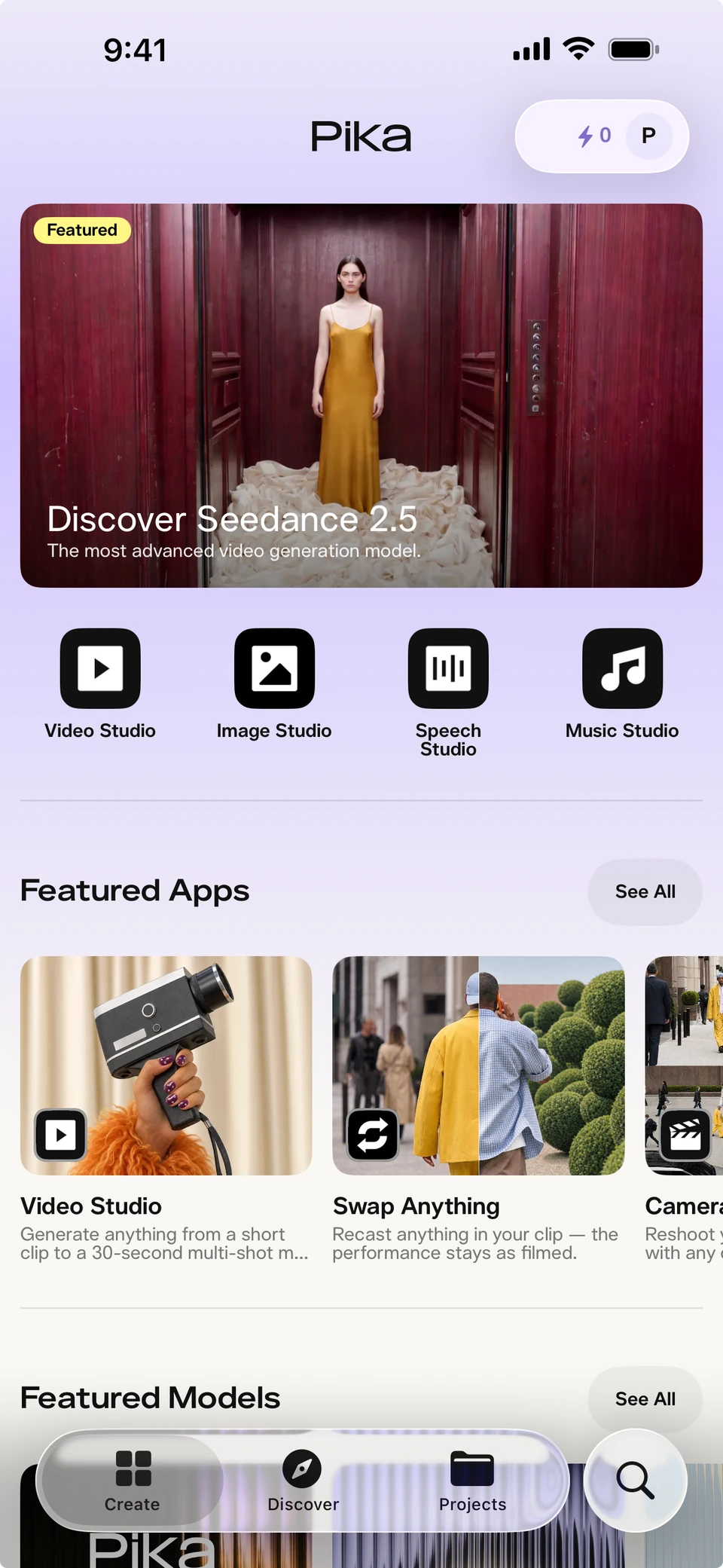
There are only two safe ways to get Pika on iPhone:
On a computer? Scan the QR code with your iPhone camera to jump straight to the download.

| Check before you install | Official app |
|---|---|
| App name | Pika - AI Video |
| Developer / seller | Mellis, Inc. |
| Price | Free, with in-app purchases |
| Requires | iOS 17 or later |
| Age rating | 18+ |
From the official App Store listing.
The App Store has many apps with "Pika" or "Pika Labs" in the name from other developers. They aren't connected to your pika.art account or credits.
Go to Settings › General › About. Pika needs iOS 17 or later; update in Settings › General › Software Update if needed.
Visit pika.art/download in Safari, or open the App Store and search "Pika - AI Video".
Make sure it says Mellis, Inc. under the app name.
Confirm with Face ID, Touch ID or your Apple ID password. The download is free.
Use your pika.art login, or create a free account.
Let Pika access the photos and videos you want to use, and save results back.
Open Video Studio, type a prompt or pick a photo, and generate.
Prefer a screen-by-screen walkthrough? See step 1 of our visual guide.

Sign in with the same method you use on the web. Your account and library sync between the app and pika.art.
The app is designed for iPhone but runs on iPad. Search "Pika - AI Video" in the iPad App Store (you may need to filter for iPhone apps), or use pika.art in Safari.
On Macs with Apple silicon, the iPhone app can run from the Mac App Store. For the best experience on a computer, use pika.art in your browser.
There's no official Pika Android app. Use pika.art in Chrome - see our Pika AI app guide.
Official app previews from Pika's download page.
Turn a prompt or photo into a video with sound.

Snap a product, get a video ad.

Create a character to reuse.

Make a song or background track.
App previews © Pika, from pika.art/download. Full feature list: Pika iOS app.
| Problem | Fix |
|---|---|
| "Requires iOS 17" | Update iOS in Settings › General › Software Update. Older iPhones that can't update can use pika.art in Safari. |
| Download stuck or waiting | Check your connection, then tap the app icon to pause and resume, or restart your iPhone. |
| Not enough storage | Free up space in Settings › General › iPhone Storage. |
| Can't find the app | Search "Pika - AI Video" exactly, or use the link on pika.art/download. App availability can vary by country. |
| Found the wrong "Pika" app | Delete it and install the one by Mellis, Inc. |
| Can't sign in | Use the same sign-in method as on pika.art. See Pika login. |
Compare plans on our Pika pricing page.